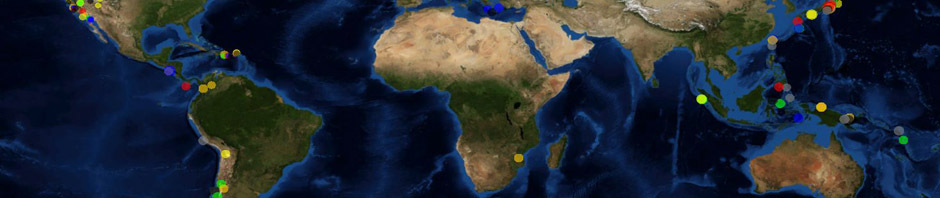
he applications here demonstrate some of World Wind’s rich capabilities. Also see World Wind Europa Challenge site for a collection of applications created by the World Wind Europa Challenge teams.
Requirements
- Up to date video card drivers
- Oracle Java Runtime Environment (JRE) 1.7.0
- Java and OpenGL setup can be tested using JOGL demo site.
Application Template
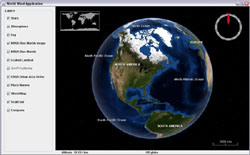
Application Template
This is the most basic usage of the SDK. It displays the default globe with its default layers. It includes capabilities such as a compass and status bar that are common to most applications, and presents Earth within a star field and with an atmosphere. It requires only 6 lines of code to instantiate everything seen here.
KML Viewer
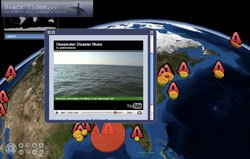
KML Viewer
Demonstrates loading, displaying, and interacting with KML content in World Wind.
WMS Layer Manager
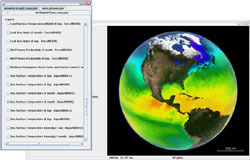
WMS Layer Manager
This example application demonstrates the SDK WMS capabilities. It features a WMS layer panel that allows you to access any WMS server and layers.
To add a server, click on the + tab and enter a url. After the WMS discovery process, the list of available layers is displayed. Select one to add it to the current globe layer list. Unselect it to remove it.
Installing Images and Elevations
Installing Images And Elevations Demo
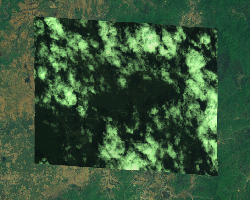
The World Wind Java Installing Imagery And Elevations Demo enables a user to install image data and elevation data from a file on the local hard drive. This data can be installed as a full pyramid of tiles or as a partial pyramid. Installing a full pyramid takes longer and consumes more space on the user’s hard drive, but has the best runtime performance. Installing a partial pyramid takes less time and consumes less space on the user’s hard drive, but requires that the original data not be moved or deleted.
Exporting Surface Imagery and Elevations
Exporting Surface Imagery and Elevations
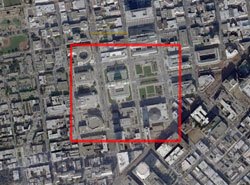
Demonstrates how to use the SectorSelector utility to save a selected region of surface imagery and elevations to a GeoTIFF file.
Scankort Denmark Data
Scankort Denmark Data
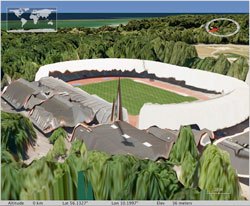
Demonstrates high resolution imagery (0.2 meters per pixel) and elevation data (1.6 meters per pixel) served by the World Wind WMS, and visualized by the World Wind Java client.
Rigid Shapes
Rigid Shapes
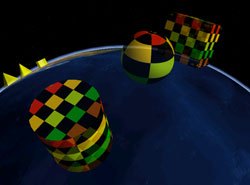
Demonstrates visualization of common rigid shape types in World Wind Java. Includes six rigid shape types: Box, Cone, Cylinder, Ellipsoid/Sphere, Pyramid, and Wedge.
Extruded Shapes
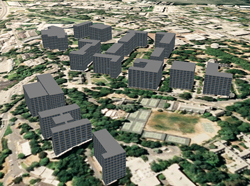
Extruded Shapes
Shows visualization of textured 3D buildings with World Wind Java SDK Extruded Shapes.
Surface Shapes

Surface Shapes
Demonstrates visualization of common terrain following shapes in World Wind Java. Includes five surface shape types: SurfacePolyline, SurfaceQuad/SurfaceSquare, SurfaceEllipse/SurfaceCircle, SurfaceSector, and SurfacePolygon.
Airspaces
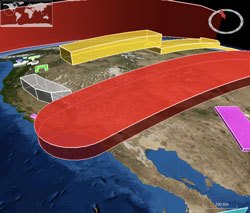
Airspaces
Demonstrates the World Wind Java controlled airspaces tookit.
Airspaces feature 3D volumes controlled by geographic coordinates and upper- and lower- altitude boundaries. Airspaces optionally conform to the terrain as you move them. They demonstrate what’s possible in terms of dynamic manipulation of data in 3D space.
Analytic Surface
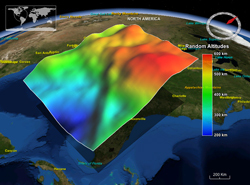
Analytic Surface
Demonstrates visual representation of scalar values over a grid of geographic positions. AnalyticSurface supports dynamic scalar data by providing a simple, high throughput rendering pipeline for the application.
This demonstrates two unique surface types:
- A dynamic surface representing random altitudes over the Coast of Florida, USA.
- A static surface representing annual precipitation in Washington State, USA.
Video On Terrain
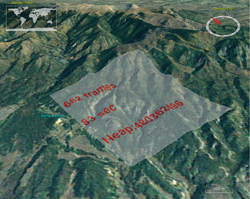
Video On Terrain
Illustrates how applications can display video on the globe’s surface.
Web Browser Balloons
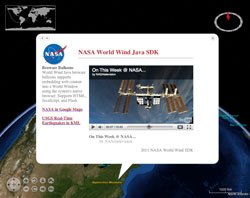
Web Browser Balloons
Demonstrates use of World Wind browser balloons to display HTML, JavaScript, and Flash content to the user in the form of a screen-aligned balloon. There are two browser balloon types: ScreenBrowserBalloon which displays a balloon at a point on the screen, and GlobeBrowserBalloon which displays a balloon attached to a position on the Globe.
Annotations
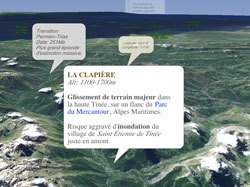
Annotations
This example allows you to experiment with the multiple options of World Wind Java annotation feature.
Annotations are text labels with support for multiline text, simple HTML and many styling attributes such as font face, size and colors, bubble shapes and background image.
On Screen Controls
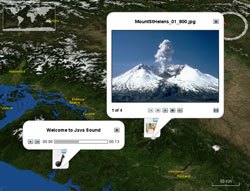
Annotation Controls
Demonstrates the use of World Wind annotations to create simple user interfaces embedded into the World Window.
MGRS Graticule
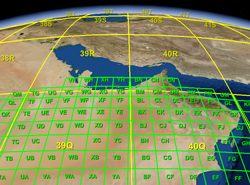
MGRS Graticule
Shows visualization of the Military Grid Reference System (MGRS) as a graticule overlayed on the globe’s surface.
Terrain Profiler
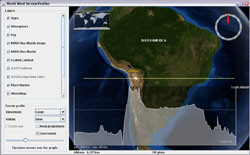
Terrain Profiler
This application shows the terrain profile layer in action with its various controls. It allows you to view a realtime section profile graph for any place on the planet, at any scale - continent, country or mountain range… just by moving the mouse.
It proves particularly useful to explore the ocean floors where the bathymetry data reveals important geologic features.
Flat World Earthquakes
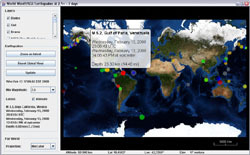
Flat World Earthquakes
This example shows the latest earthquakes over a flat world projection. It allows you to see the whole globe at once while retaining the capability to zoom onto the surface and still experience 3D terrain.
Anaglyph Stereo
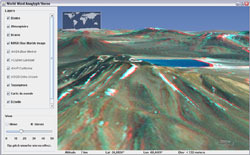
Anaglyph Stereo
This is essentially the above application template but with anaglyph stereo viewing capability. It allows you to explore the world in ‘real’ 3D using red and cyan glasses with the red filter over the left eye.
To get a comfortable experience use the slider to adjust the interocular distance.
Multi-Window View Volume
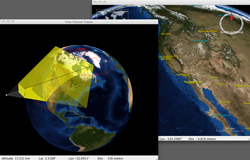
Multi-Window View Volume
Demonstrates World Wind Java SDK support for rendering globes in multiple application windows. World Wind automatically shares resources wherever possible across multiple windows in a single runtime environment.
View Tracking
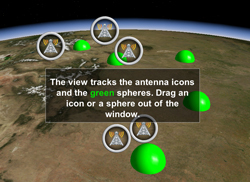
View Tracking
Demonstrates how applications can keep a set of moving objects in view.
Line Builder
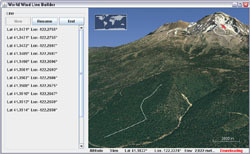
Line Builder
This simple example allows you to interactively draw a path over the terrain surface.
It demonstrates how an application can use and consume mouse events before they get to the default view input handler.
Airspace Builder
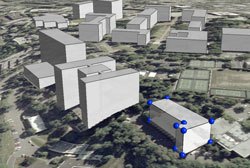
Airspace Builder
Demonstrates runtime construction of 3D shapes using the World Wind Java controlled airspace shapes.
- New shape - Click the “New shape” button. When “Auto fill new shapes” is checked a default shape is created automatically
- Select a shape - Left mouse button click
- Delete a shape - Select the shape, then press the delete key.
- Move a shape or move a control point - Drag the shape or control point with the left mouse button
- Resize a shape - Hold the Shift key and drag any control point with the left mouse button
- Create a control point - Hold the Alt key and click the left mouse button
- Delete a control point - Hold the Ctrl key and click the left mouse button
User Applications
GLIDER - Globally Leveraged integrated data explorer for research
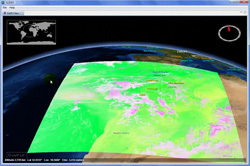
GLIDER
GLIDER (Globally Leveraged Integrated Data Explorer for Research) is a NASA ACESS funded project managed at UAHuntsville ITSC. The goal of this project is to integrate three existing applications, namely World Wind, Interactive Visualizer and Image Classifier (IVICS) and the Algorithm Development and Mining (ADaM) toolkit into a single seamless tool for research and education community. GLIDER will be a complete comprehensive, easy to use tool for thematic information extraction from NASA imagery.
EOLi (Earth Observation Link) by ESA (European Space Agency)
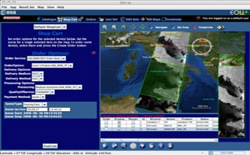
EOLI-sa
ESA EOLi (Earth Observation Link) is the European Space Agency’s client for Earth Observation Catalogue and Ordering Services.
Using EOLi, you can browse the metadata and preview images of Earth Observation data acquired by the satellites ENVISAT, ERS, Landsat, IKONOS, DMC, ALOS, SPOT, Kompsat, Proba, JERS, IRS, Nimbus, NOAA, SCISAT, SeaStar, Terra/Aqua.
By default, EOLi-sa uses a 2d drawing mode. To enable World Wind, click on the layered map icon in the upper right for map settings. Then choose Orthographic or Plate Carrée (new 3D map) for a projection.
World Wind Java DiSTI F-16 Flight Simulator
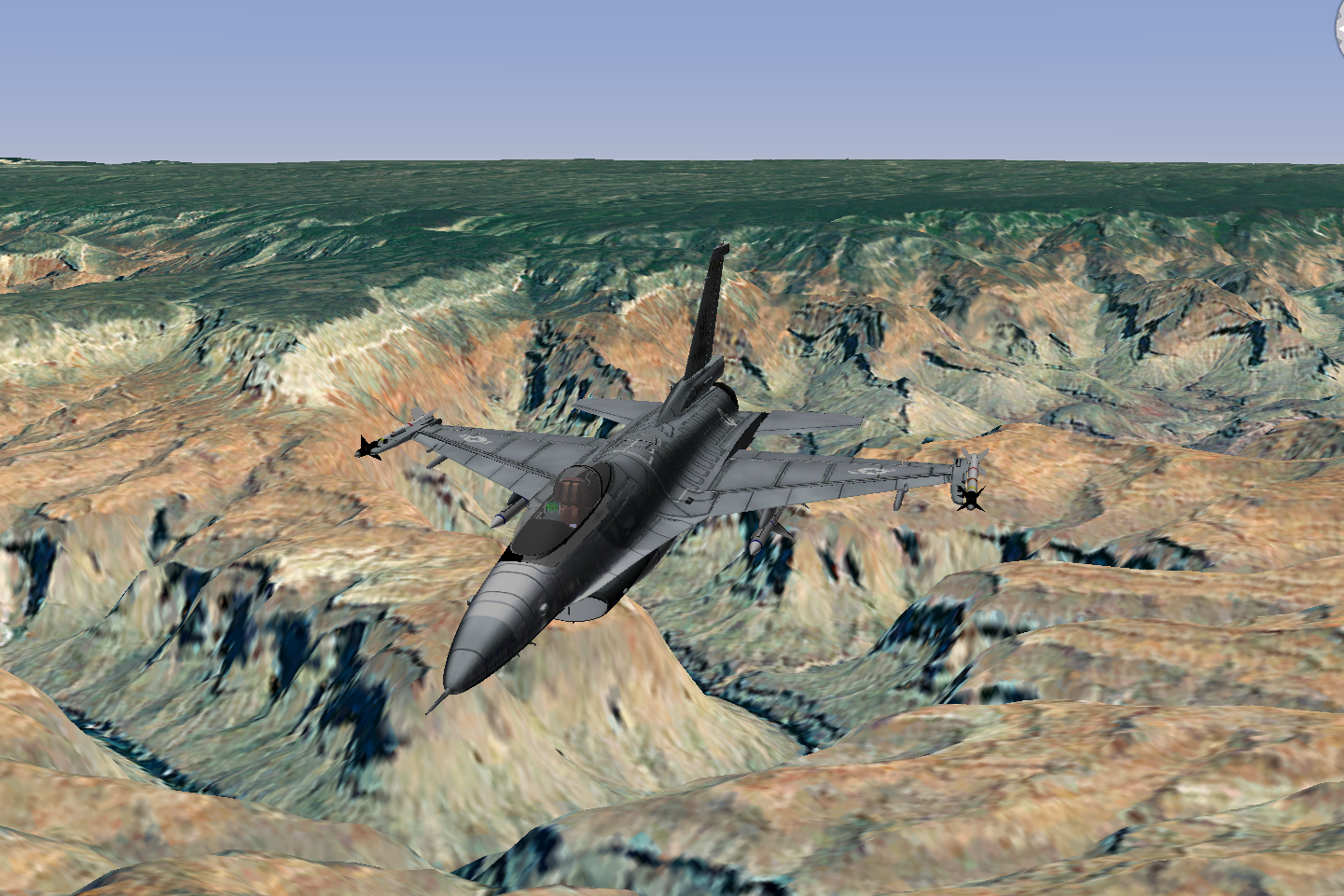
DiSTI F-16 Flight Simulator
‘Fly’ an F-16 and immerse yourself in the cockpit as it maneuvers over the terrain. All made possible through a collaboration between NASA World Wind, Oracle and DiSTI. Here together you’ll see these three powerful technologies—NASA’s World Wind, Oracle’s Java Open GL and DiSTI’s new GL Studio for Java—converge to enable Java developers to leverage spatial data in a 4D world with incredible virtual reality.
Informatics Tools for Population-level Movement Dynamics
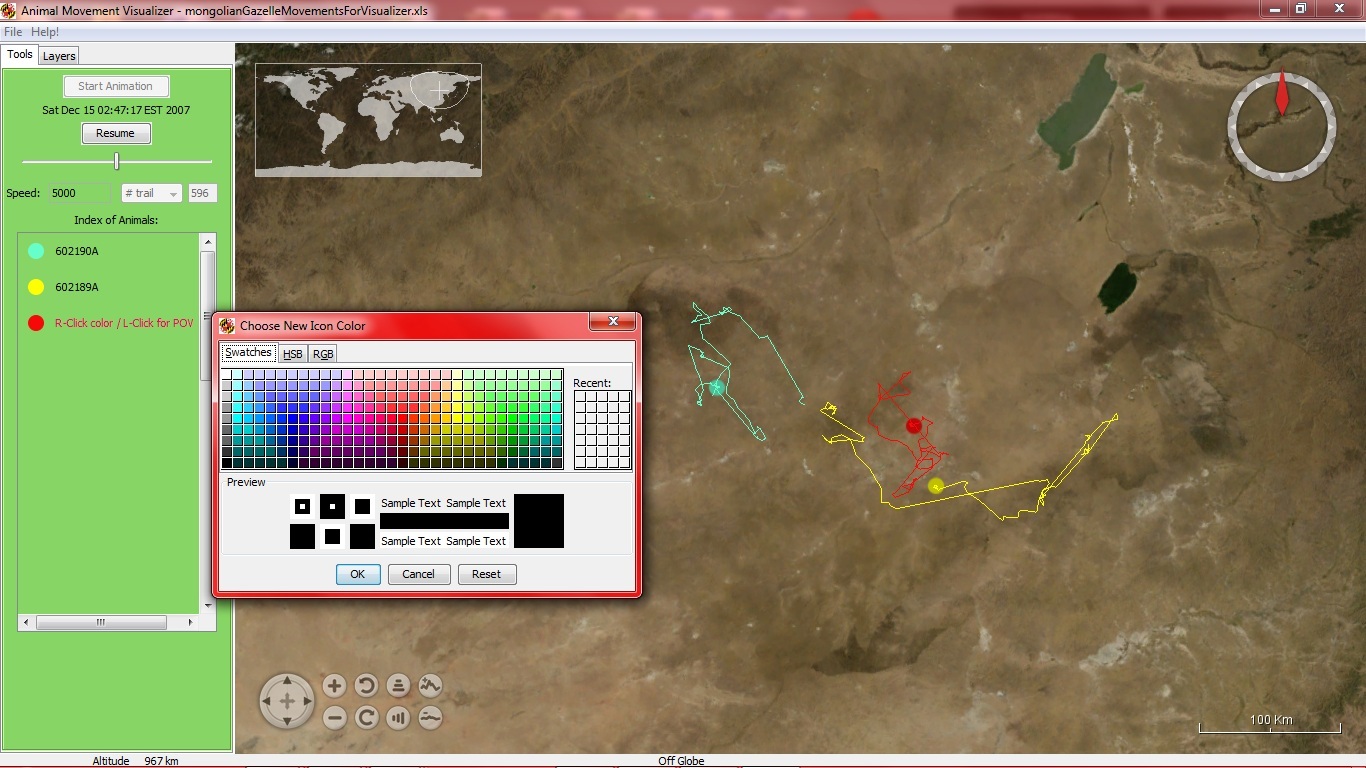
Animal Movement Visualizer 1.3
The University of Maryland Department of Biology, has created the Animal Movement Visualizer to display animal location data in real time. This software can be used by ecologists and researchers to track the migration patterns of animals, simply by uploading coordinates via an excel file.”
Gaea+
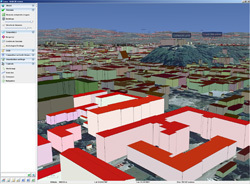
Gaea+
Gaea+ features a rich combination of 3d building, landmark, street, and aerial photography data for Slovenia.
> Gaea+ XLAB 3D Viewer
> (Windows)
> (Mac)
Air Search And Rescue
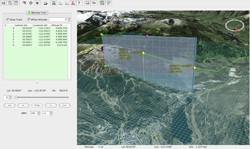
Air Search and Rescue
This application helps search and rescue planners determine the best places to search after a plane goes missing.
Using last known positions from ground radar and other sources, planners are able to reconstruct an aircraft path and study it’s position relative to the ground from any view point including that of the pilot.
Geoscience Australia’s World Wind Viewer
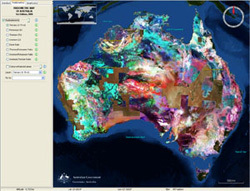
World Wind Viewer
Geoscience Australia‘s World Wind Viewer is an application that displays Australia’s continental data sets. The viewer allows you to compare national data sets such as the radioelements, the gravity and magnetic anomalies, and other mapping layers, and show the data draped over the Australian terrain in three dimensions.
The viewer currently displays the following Geoscience Australia data layers: Radiometric Map of Australia, Gravity Anomaly Map of the Australian Region, Magnetic Anomaly Map of Australia
World Wind Geo

World Wind Geo
World Wind Geo is an experimental geo browser built on top of two of the best open source technologies: the World Wind Java SDK and Eclipse.
The new version of our 3D globe is closing the gap between GIS & SIS (Scientific Information Systems) by incorporating low/med/hi resolution GIS datasets from multiple sources: NASA, MS Virtual Earth, and others plus the great java NetCDF library for plotting/subsetting capabilities of scientific data.
Developed by Vladimir Silva.
JSatTrack
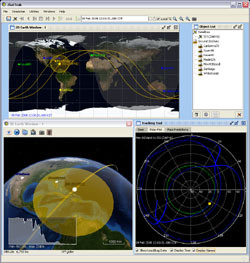
JSatTrack
JSatTrak is a Satellite tracking program written in Java. It allows you to predict the position of any satellite in real time or in the past or future. It uses advanced SGP4/SDP4 algorithms developed by NASA/NORAD to propagate the satellite orbits.
The program also allows for easy updating of current satellite tracking data via CelesTrak.com. Because this application was written in Java, it should run on almost any operating system or directly off the web using java web start!
Version 3.0 requires Java 1.6 - and uses NASA’s World Wind Java SDK (included) and JOGL for 3D rendering (included for win).
Developed by Shawn Gano.
GeoMapApp
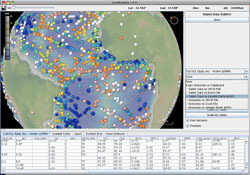
GeoMapApp
GeoMapApp (formerly MapApp) is a freely downloadable Java application, which permits users to browse bathymetry data from the world’s oceans, generate and download custom grids and maps, and explore a variety of other data types.
GeoMapApp is a data exploration and visualization tool that is continually being expanded as part of the Marine Geoscience Data System. GeoMapApp is an integrated mapping application developed at Lamont-Doherty Earth Observatory.
Developed by William Haxby, with support from the LDEO Marine Geoscience Data System.
DARPA ARGUS-IS
DARPA ARGUS-IS
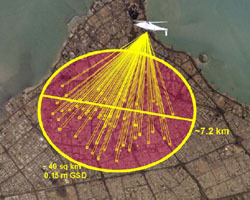
The DARPA ARGUS-IS program mission is to provide military users a flexible and responsive capability to find, track and monitor events and activities of interest on a continuous basis in areas of interest.
The ground processing subsystem enables users to interact with the ARGUS-IS airborne systems. The user interface, based on NASA World Wind software, facilitates specification of areas where imagery is desired throughout the entire ARGUS-IS field of view.
A next-generation system enables persistent surveillance of wide areas Brian Leininger, ARGUS-IS Program Manager, SPIE March 2008.
MyUniPortal
MyUniPortal
The free high tech learning portal for kids throughout the world.
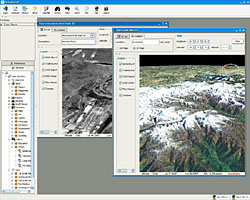
MyUniPortal combines information from different sources such as html, video media, search engines into an interface that allows the data to be placed into separate windows specific for that data (Browser, Video Viewer, Query Viewer, 3D Maps).
Developed by Anthony Anecito.
