
 |
World Wind Android Examples for Android |
|
QGlobe for Android |
Follow the instructions below to install one of the demo apps on your Android tablet.
Configure Your Tablet
You will need to configure your device to accept apps not distributed by the Android Marketplace.
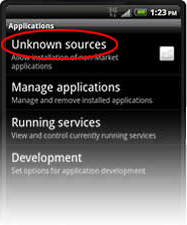
Step 1: Open your device Settings and click “Applications.”
Step 2: If unchecked, click “Unknown sources.” If “Unknown sources” is already checked, skip to “Download an App” below.
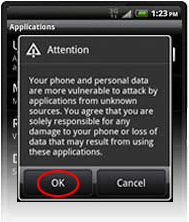
Step 3: Click “OK” on the “Attention” dialog. “Unknown sources” will now have a green check.
 |
 |
Download an App
The next step is to download and then install a demo app to your device. You will need your Android web browser to do this.
Step 1: Navigate to this page in your tablet’s web browser and click the download link for one of the demo apps at the top of the page.
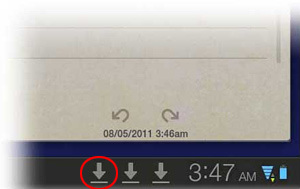
Step 2: When the app has finished downloading, click the leftmost down arrow at the bottom right corner of the screen (to the left of the time). Click the name of the APK file that pops up.
Step 3: Click “OK” on the “Install application” dialog, then click the button to launch the app after it has installed.
